
Home Page Image Submissions
Images for our home page slide show have to fit the format and have to be high quality photos that we’ll all want to look at for at least a year! So gather up your best photos and see which ones will look good as very wide landscapes and then submit them for our Home Page Image Contest.
- Images must be cropped to a 12×5 aspect ratio
- Images should be sized to 1200 pixels wide by 500 pixels tall
- Images must be in focus and well composed
- Up to three images per person per contest
If you use Photoshop, Lightroom or Apple Photos here are instructions for adjusting images to our requirements. If you use another program, these steps are likely very close to what you can do in those apps.
If you don’t know how to crop an image to an aspect ratio:
In Photoshop, select the crop tool, and type the aspect ratio 12h 5v (or 1200h 500v) into the tool’s settings:
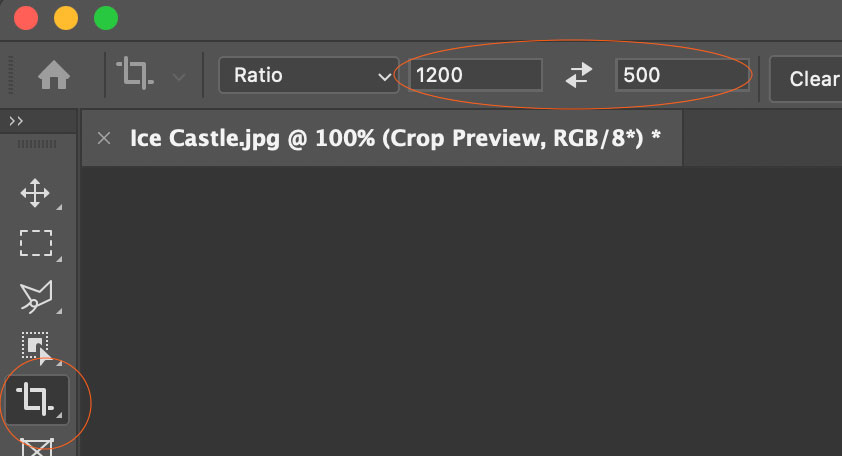
Cropping in Photoshop
Then use the crop tool to draw its rectangle around the part of the image you want to keep.
In Lightroom, choose the crop tool and set the aspect ratio to 12×5 using the settings with a custom aspect:
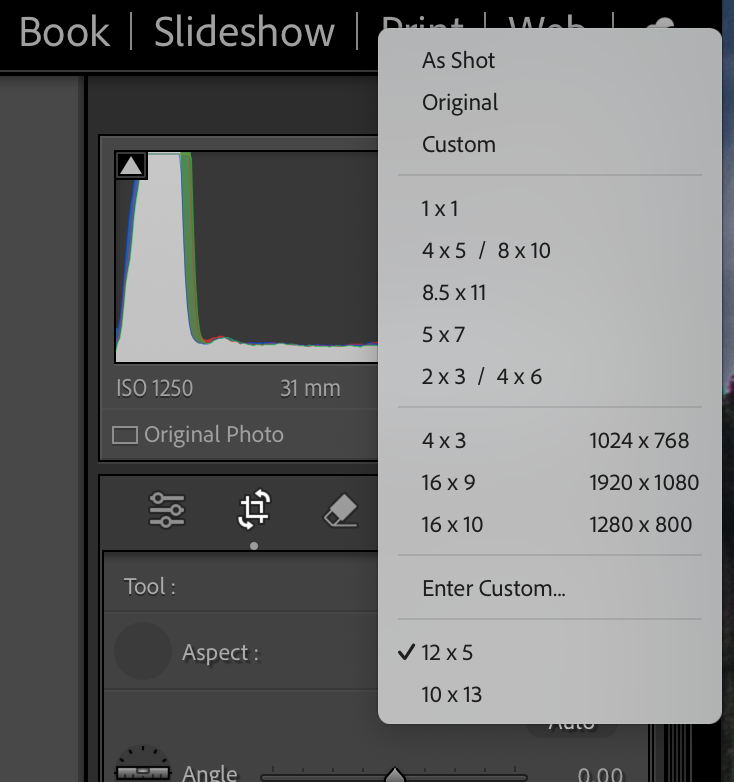
Cropping in Lightroom
Then use the crop tool to draw its rectangle around the part of the image you want to keep.
In Photos, choose the crop tool and set the aspect ratio to 12×5 using the settings with a custom aspect:
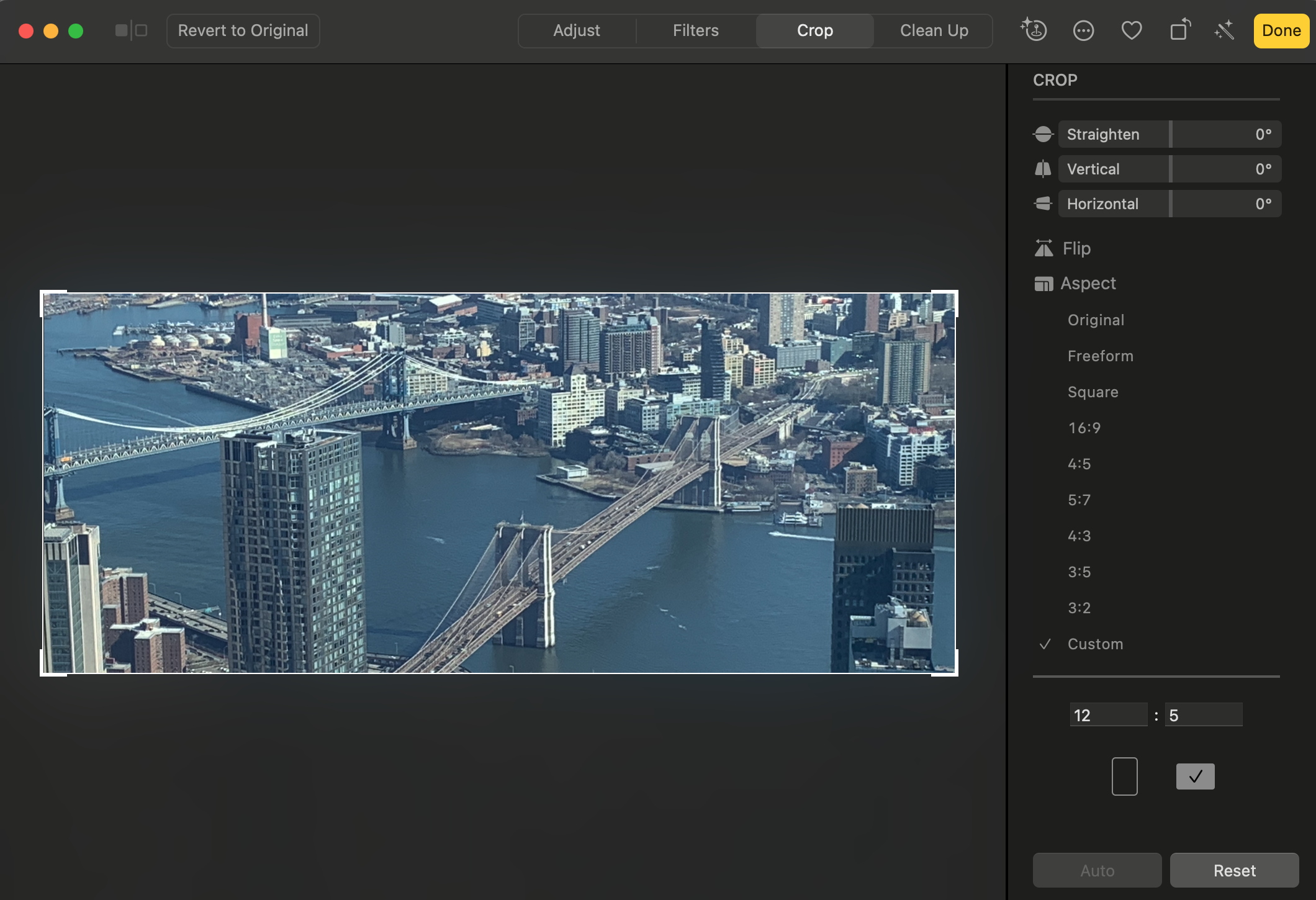
Cropping in Apple Photos
If you don’t know how to export the correct number of pixels:
In Photoshop, select the Image Size item in the image menu and enter 1200 Width – Height will automatically go to 500 if your aspect is correct:
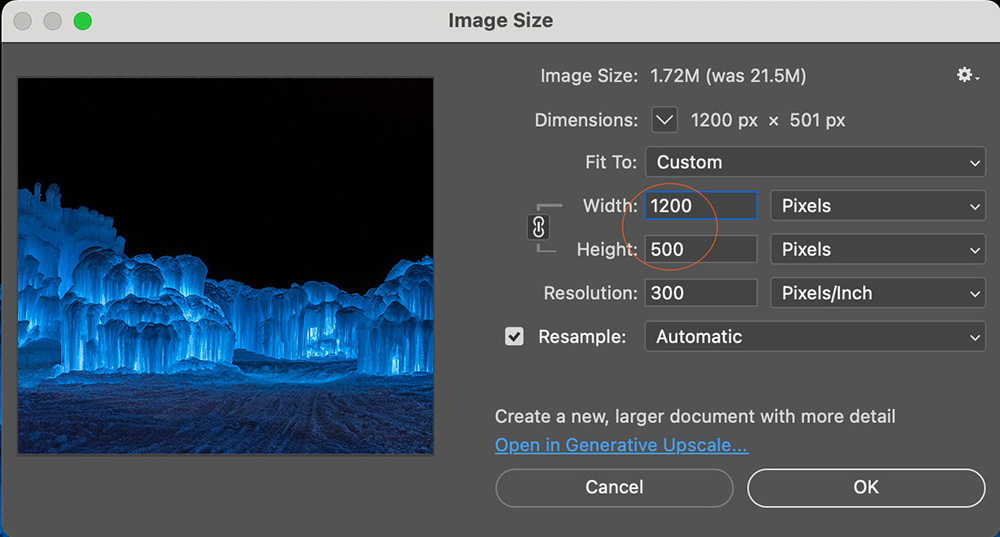
Sizing in Photoshop
Then select File > Export to save your image as a jpg. Alternately you can use the File > Export > Save For Web tool to set the number of pixels and save the file as a jpg all at the same time.
In Lightroom, use the File > Export menu item to access the export dialog where you can save at the same time as setting the pixels:
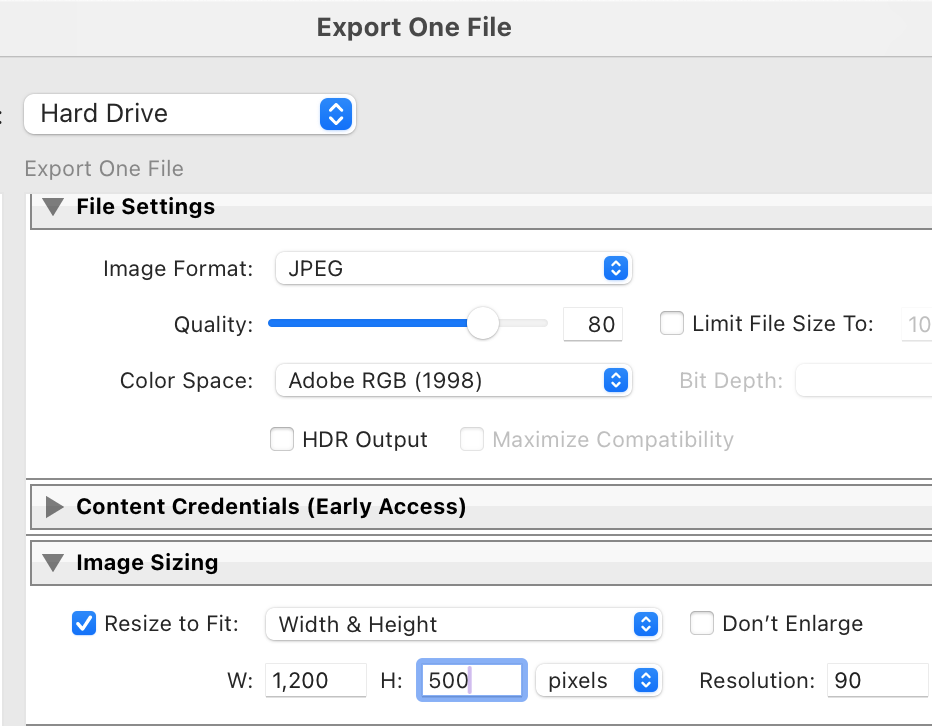
Sizing in Lightroom
In Photos, it doesn’t give you the option to set the number of pixels, so just select File > Export and export as jpg. We can most likely correct for size issues as needed.
If you have more questions, please email webmaster@evergreencameraclub.org.